ARIS-C AM Interference Reduction for Medium-Wave DX
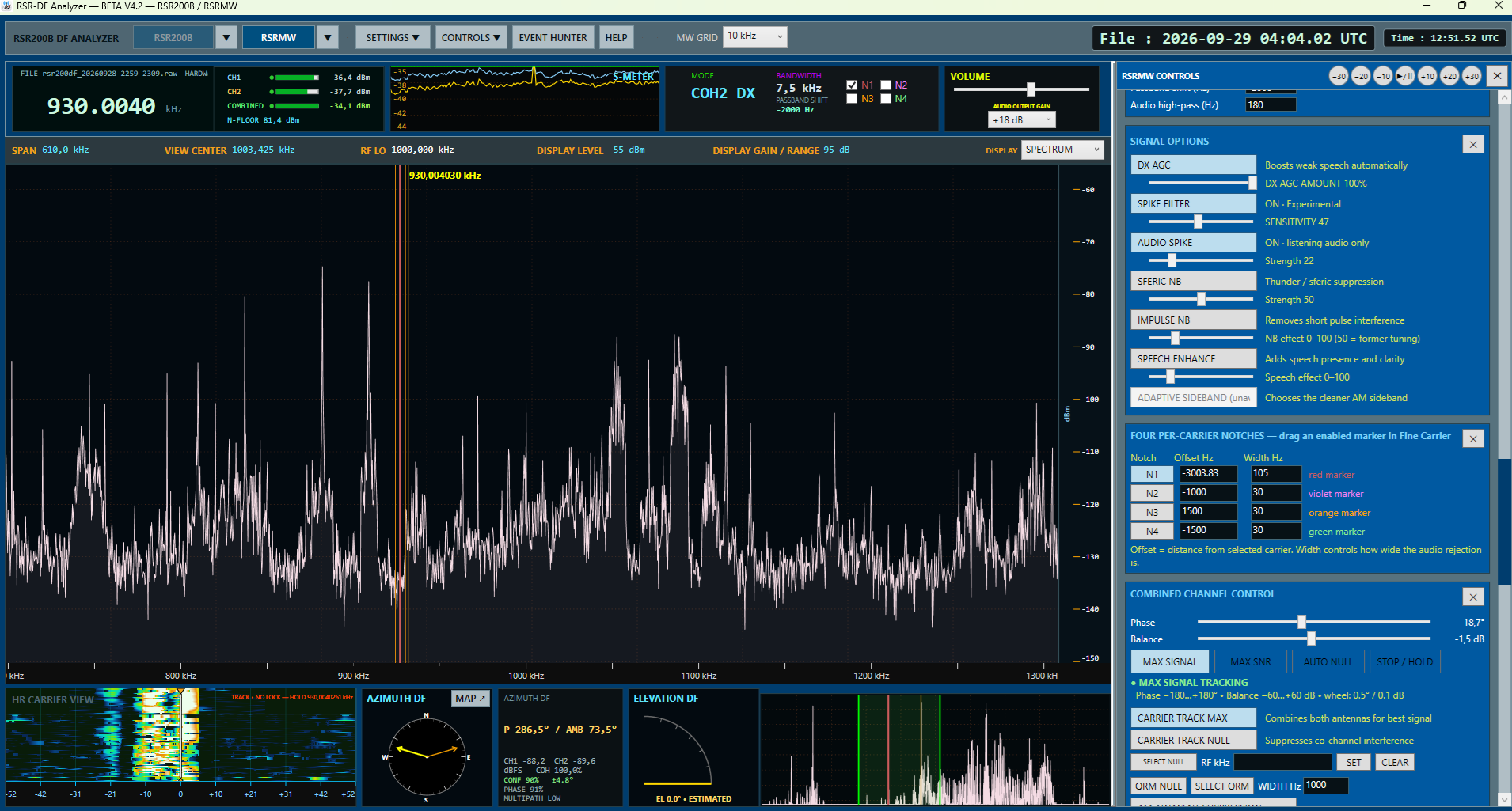
RSR-DF Analyzer is free Windows SDR software for medium-wave DX. Its ARIS-C listening tools can help when a nearby AM signal overlaps a weak station, while REMOVE PRIMARY STATION is a separate experimental way to reduce a dominant station. Results depend on the received IQ, fading and the signals involved.
Adjacent-channel and overlapping AM interference
A strong AM station on a neighbouring frequency can place sideband energy inside the passband of the station you want to hear. Narrowing the receiver filter may reduce that interference, but it can also remove speech detail. ARIS-C processes the received signal adaptively to seek a more useful listening balance in such cases.
ARIS-C is intended for adjacent and overlapping AM interference. It is not a guaranteed station separator: the amount of relief varies with carrier stability, sideband overlap, fading and the chosen settings. Compare it with ARIS-C OFF on the same reception before deciding whether it helps.
REMOVE PRIMARY STATION: suppressing a dominant signal
REMOVE PRIMARY STATION targets the selected dominant AM station rather than protecting it. Its aim is to reduce that station and leave other received information as usable as possible. Experimental co-channel cases are possible, but two stations occupying the same frequency and audio space cannot always be separated cleanly. Stronger removal may also weaken a quieter station or introduce audible changes.
Use the ARIS-C strength control to compare gentle and stronger processing. The useful setting is the one that improves the wanted audio after accounting for level changes, distortion and lost detail—not simply the setting that makes a carrier deepest on a spectrum display.
Listen to real reception examples
The continuous clip below switches ARIS-C Removal ON, OFF, ON and OFF in one recording. Sound is enabled with the player controls; there is no autoplay.
WGAN — ARIS-C ON/OFF Demonstration
This one-minute recording alternates ARIS-C ON and OFF on the same reception. Listen for the change in interfering audio and for any change to the wanted signal. Results vary with station overlap and fading; use the player controls for sound and fullscreen viewing.
The ARIS-C video demonstrations also include a continuous OFF → ON → OFF comparison and separate CBGY and WHSQ examples. The separate recordings are not time-synchronised, so treat them as listening examples rather than controlled before-and-after measurements.
How to make a fair comparison
For your own test, replay the same RAW IQ interval with the same frequency, demodulation mode, passband and output settings. Compare OFF and ON at the same gain, then listen again after matching loudness. Check whether the wanted speech becomes easier to understand without pumping, clicks, unnatural timbre or loss of weak detail.
Related RSR-DF Analyzer tools
High-resolution carrier analysis helps identify and follow weak AM carriers. Spectrum, waterfall and BARS views show activity over frequency and time; RAW IQ recording and playback let you revisit a difficult reception. Optional speech noise reduction and demodulation modes are separate listening controls. Coherent SDR direction finding and antenna phase measurements require appropriate receiver channels, antennas and calibration; ARIS-C listening results are not DF bearings.
Download RSR-DF Analyzer
Visit the RSR-DF Analyzer download page for the current Windows package, receiver support and installation guidance. For a practical direction-finding setup, see the RSR200B and KAZ antenna example.