Free · Non-commercial hobby project
RSR-DF Analyzer
Software for the Reuter RSR200B
Free Medium Wave DX & Direction Finding Software
Explore weak AM carriers, review spectrum and waterfall history, record RAW IQ and estimate signal bearings with a calibrated receiver setup.
Beta 5.4 · Build 5.4.2026.1310 · 16 November 2026 · Windows 10/11, 64-bit
RSR200B and RSPduo are working; see receiver support status below for other integrations.
Download & install ARIS-C videos: OFF / ON Speech Noise Reduction video ARIS-C guide What’s new Screenshots Features & receivers Release history
Download Beta 5.4
Build 5.4.2026.1310 · 16 November 2026 · Windows 10/11, 64-bit · ZIP, 54.3 MB
Install or update
Stop any recording and close RSR-DF Analyzer before installing or updating. Extract the ZIP and run Setup.exe. Setup installs missing .NET 8 Desktop and WebView2 components. If you use SDRplay and its Hardware API is missing, Setup shows where to download it.
Installation folder
Setup installs RSR-DF Analyzer in Program Files. When updating a regular installation, Setup backs up the existing installation and preserves your logbook, profiles, settings and recordings.
Main changes since build 1306
Main changes since build 1306
Beta 5.4 build 1310 brings updated ARIS controls, additional audio-processing options and improvements to logging.
- Simplified ARIS controls make Restoration and Cancellation easier to operate, with automatic on/off, adjustable removal strength and draggable carrier targets.
- ARIS MODE C and MODE D support COH2 and COH3, providing additional combinations for listening to difficult AM signals.
- Restoration · USE USB is selectable during FILES playback with MODE C/D combined with COH2 or COH3, and with MODE D’s own audio output. Switch it on and off to compare reception.
- Improved carrier selection uses the current selected target or the primary carrier when Cancellation is activated, preventing an outdated target from causing “out of range”.
- Logged-station totals follow the selected UTC period, including overnight intervals such as 22:00–08:00 UTC.
- The expanded logbook includes STATISTICS and a separate CLOSE button. Its smaller window leaves the main application visible behind it and makes the two close controls easier to distinguish.
- Weak AM controls are now grouped under Fine Carrier Analysis for easier access while inspecting weak carriers.
Beta 5.4 build 1306 streamlines ARIS Restoration and Cancellation controls, including automatic on/off and improved carrier selection with draggable targets. Weak AM controls are now under Fine Carrier Analysis; all previous fixes are included
- LIVE displays: Background spectrum calculations and improved spectrum recovery during recording, with clearer carrier views and less repeated display work.
- Mini spectrum and waterfall: Switch between both views, retain measured history during zooming and refreshes, and adjust colour, level and contrast independently in Display settings.
- Recording and background processing: Recorder Only and Recorder/BARS/DX Index Only modes, cumulative channel overflow indicators, and per-user switches for background LIVE BARS history and automatic LIVE DX indexing.
- ARIS-C and interference control: Enhanced and Remove modes, adjustable removal strength, an independent station-removal target, and separate carrier-null selection. Classic controls remain available under Advanced.
- AM audio and speech: DPDFNet2 Speech Noise Reduction with improved buffer continuity, plus selectable STANDARD/N5 CIC filtering and optional Weak AM processing.
- Signal-strength graphs: Recording UTC selection, calibrated dBm and SNR scales, CH1/CH2 and COMBINED traces, line controls, visual smoothing, zoom, four coloured time markers and SAVE/LOAD without reanalysis. LIVE tracking follows the selected carrier.
- Direction finding: Time-weighted Azimuth Distribution for LIVE and RSRMW playback, adjustable graph scales, and measurements retained until CLEAR ALL, with SAVE, LOAD and same-frequency MERGE.
- Everyday workflow: Non-blocking application windows, refined carrier search and selection, recording-date-aware logging, improved NEW USER/MWLIST import handling, and refreshable logged-station counts in DX INDEX.
ARIS-C video demonstrations
Hear the difference with ARIS-C switched off and on in RSR-DF Analyzer. Start with the continuous demonstration, then compare the CBGY and WHSQ recordings below.
Listen with sound enabled. Play one video at a time; headphones can help when comparing weak signals.
Continuous comparison: OFF → ON → OFF
One uninterrupted clip with ARIS-C switched off, then on, and off again.
ARIS-C Removal: ON → OFF → ON → OFF
A continuous reception example showing ARIS-C Removal switched on, off, on, and off again. Compare each switch within the same recording.
ARIS-D — same-frequency demonstrations
Two stations on the same frequency. ARIS-D is switched off, on, and off again. Compare the competing audio within this recording.
Open BBC Radio 5 Live and SER ARIS-D comparison
Both stations are received on the same frequency. Listen to the change as ARIS-D is switched during this recording.
Open BBC Radio 5 Live versus WGY ARIS-D comparison
CBGY — without and with ARIS-C
Open CBGY without ARIS-C
Open CBGY with ARIS-C
WHSQ — without and with ARIS-C
Open WHSQ without ARIS-C
Open WHSQ with ARIS-C
These are reception examples. The separate OFF and ON clips are not time-synchronised; reception conditions and ARIS-C results can vary. Use the continuous clip to hear the switching within one recording.
WWL — Speech Noise Reduction demonstration
Listen to the same WWL reception as Speech Noise Reduction is switched off, on, and off again. This clip contains only the first 30 seconds of the original recording. Results depend on reception conditions.
OFF → ON → OFF
0:30 · Open WWL comparison video
Features and receiver support
Medium Wave DX
Watch AM channels across the spectrum and waterfall to spot weak signals and compare reception over time.
Direction Finding
Compare coherent signals from two antennas and calibrate with known stations to estimate bearings. Antenna geometry and local conditions affect results.
High Resolution Carrier Analysis
Inspect fine frequency offsets and follow weak carriers in HR Carrier View. An offset can help distinguish signals, but does not identify a station on its own.
ARIS-C Cancellation
Adaptive AM listening processing uses selected IQ to reduce some interference after a learning period. Results depend on the received signal; recording and DF are separate.
RAW IQ Recording
Save received IQ for later playback, waterfall review and carrier analysis. Use suitable storage and check timing and continuity before relying on a recording for measurements.
RSR200B Support
The Reuter RSR200B is the primary receiver for this project. Its coherent two-channel workflow supports calibrated phase and bearing measurements with suitable antennas.
RSPduo Support
SDRplay RSPduo reception is working, including coherent dual-tuner direction finding with suitable antennas and calibration. Install the required SDRplay driver and select the appropriate receiver mode.
Receiver support status
Reuter RSR200B: Working, including two-channel direction finding.
SDRplay RSPduo: Working, including coherent dual-tuner direction finding. (Duo to the nature of the RSPduo calibration is needed each time)
SDRplay RSPdx, RSP1A and RSP1B: Receiver integrations are present and confirmed.
Microtelecom Perseus: API integration is present and requires the compatible native DLL.
ELAD FDM-S3: An ExtIO receiver route is present; current hardware operation has not been confirmed.
Airspy HF+ Distcovery,RTL-SDR Blog V4, RX888MKII availible, but not confirmed.
MWLIST Integration
Compare frequency and direction against MWLIST station candidates. Treat the match as a starting point and confirm by listening.
DX Logbook
Keep reception records, review statistics and compare activity using DX INDEX and NIGHT COMPARE.
FT8 Digital DF · Experimental
Explore phase measurements across an FT8 transmission where coherent dual-channel input and calibration are available. Confirm results independently.
Software Screenshots
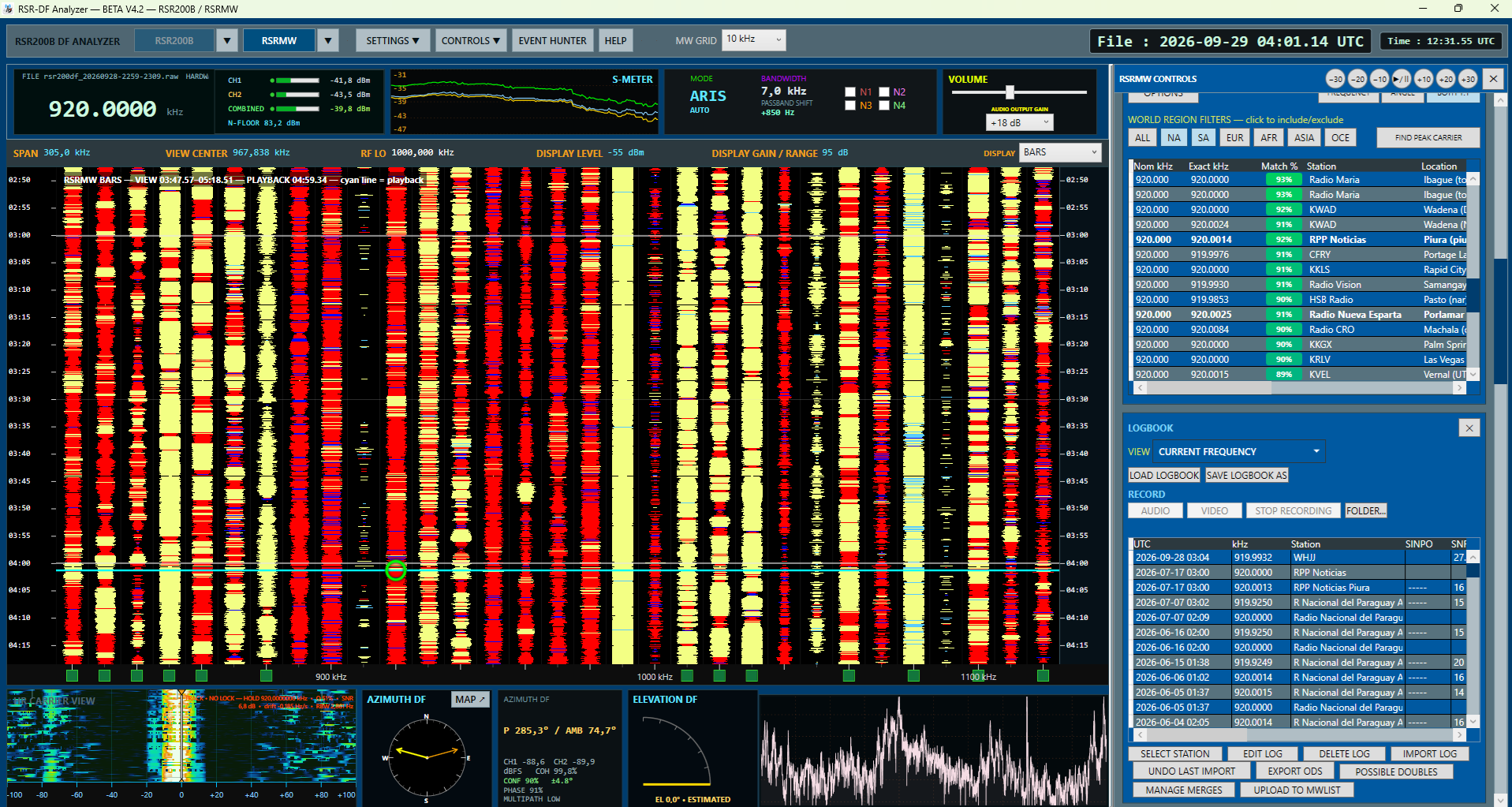
These screenshots are from earlier development builds. The current interface may differ.
Select a screenshot to view it at full size.
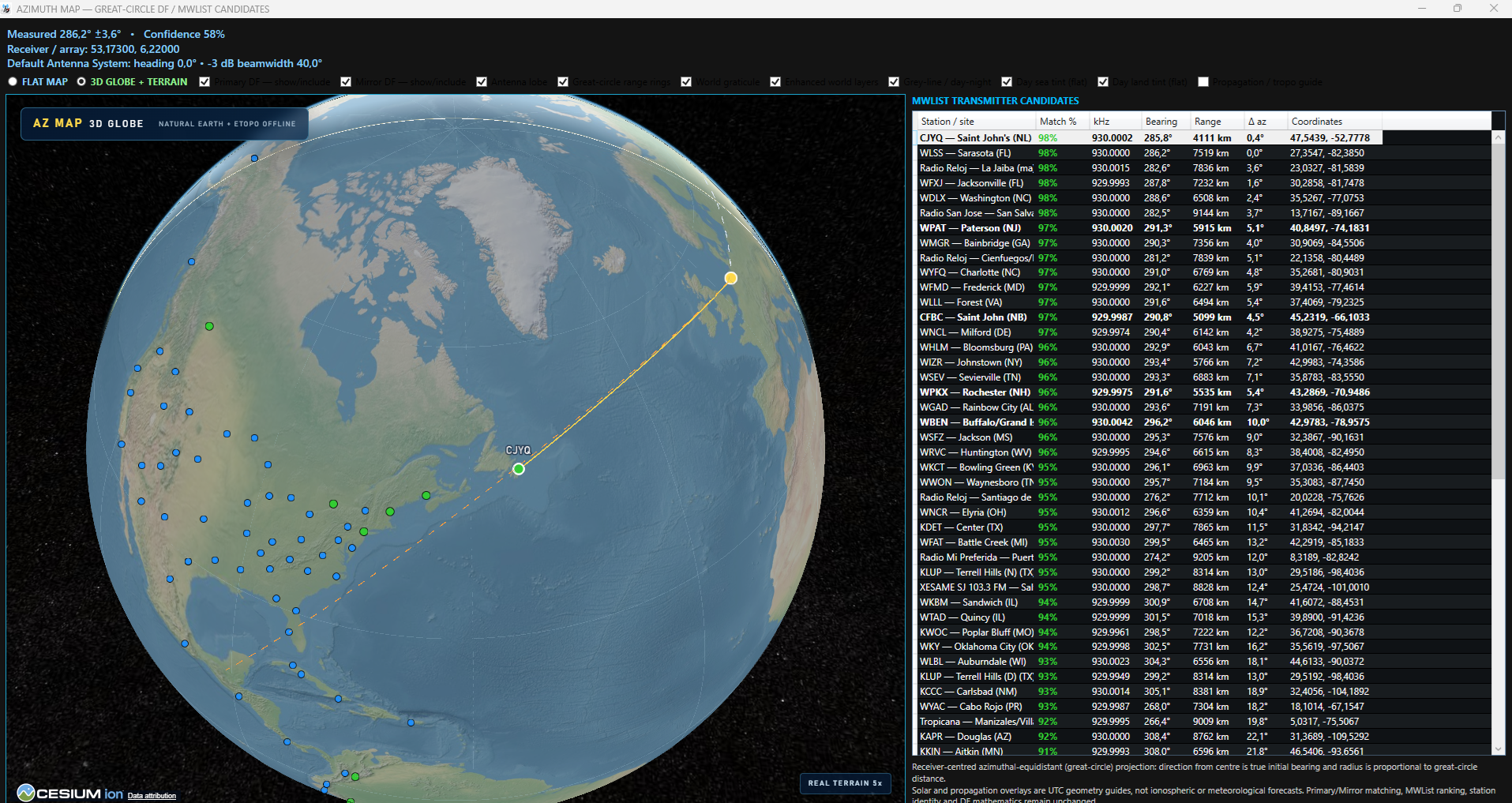
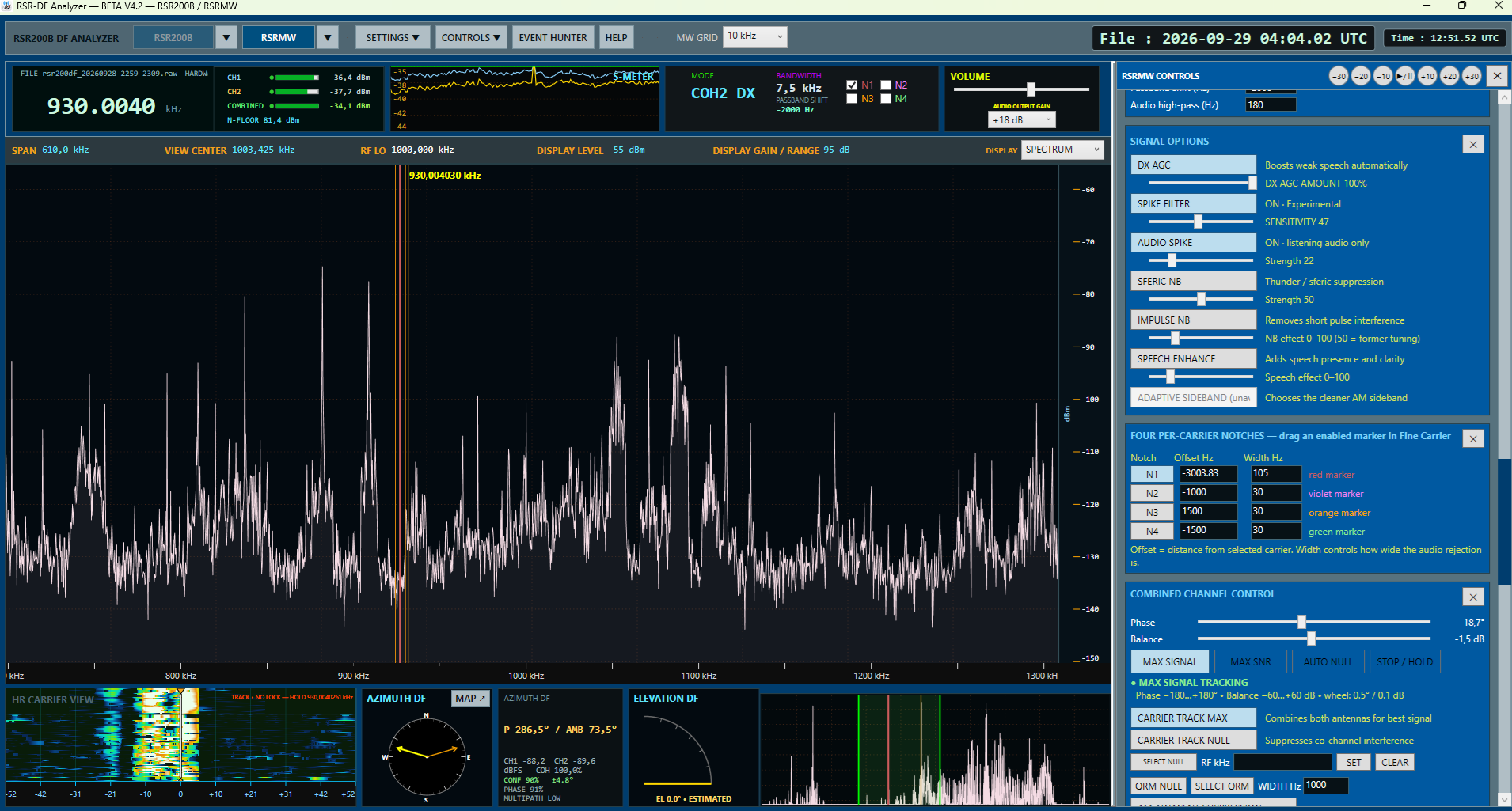
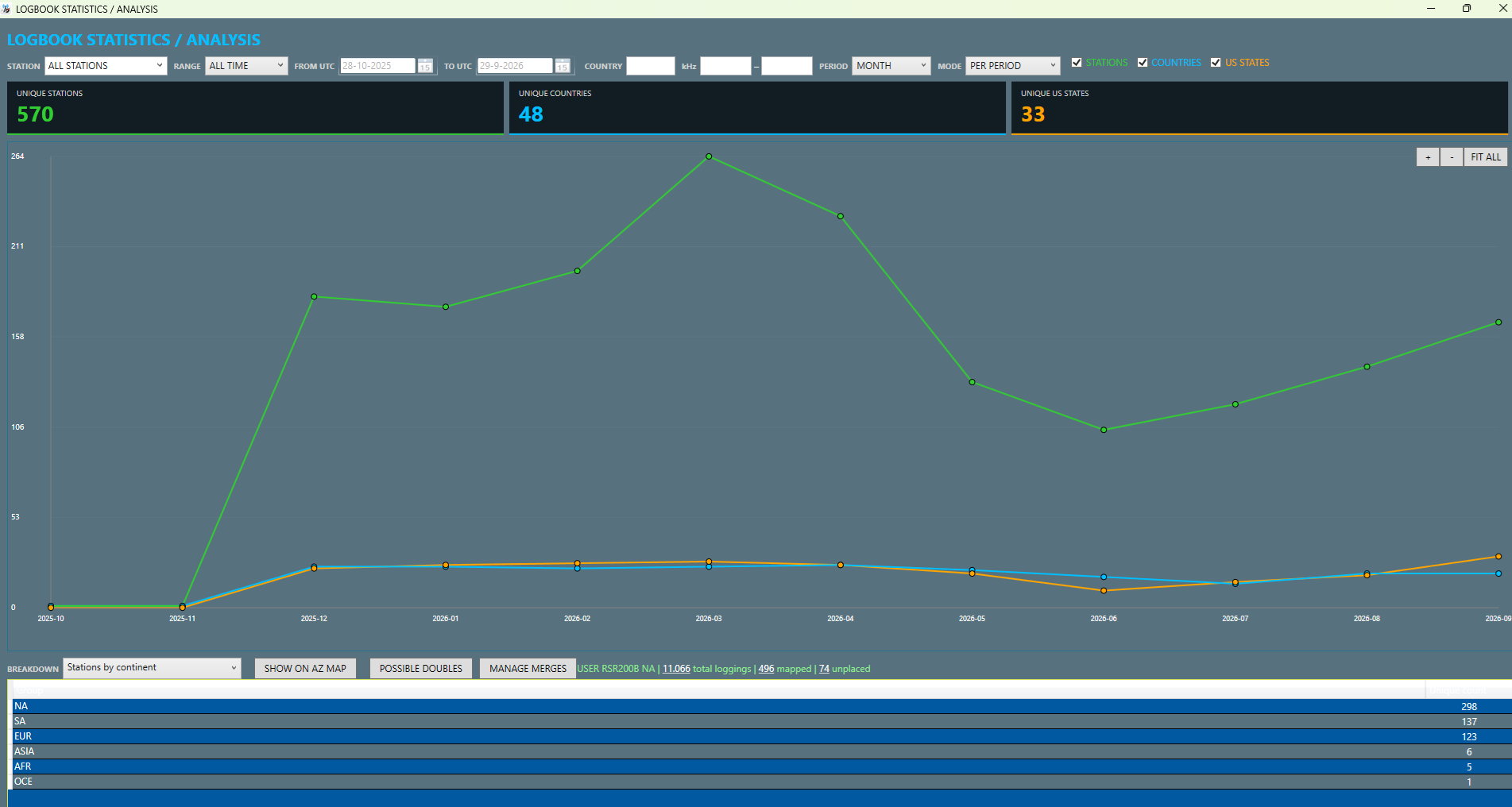
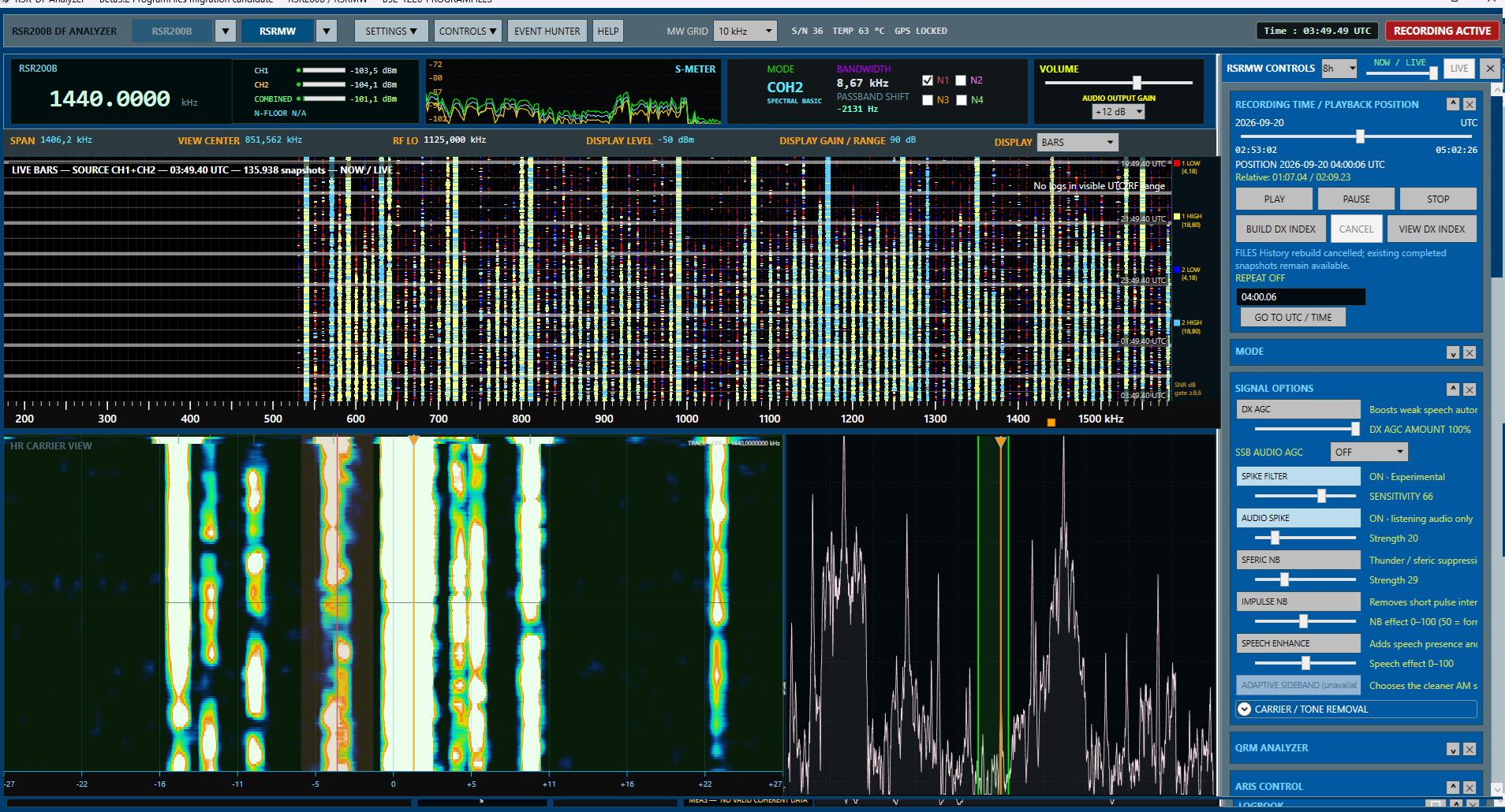
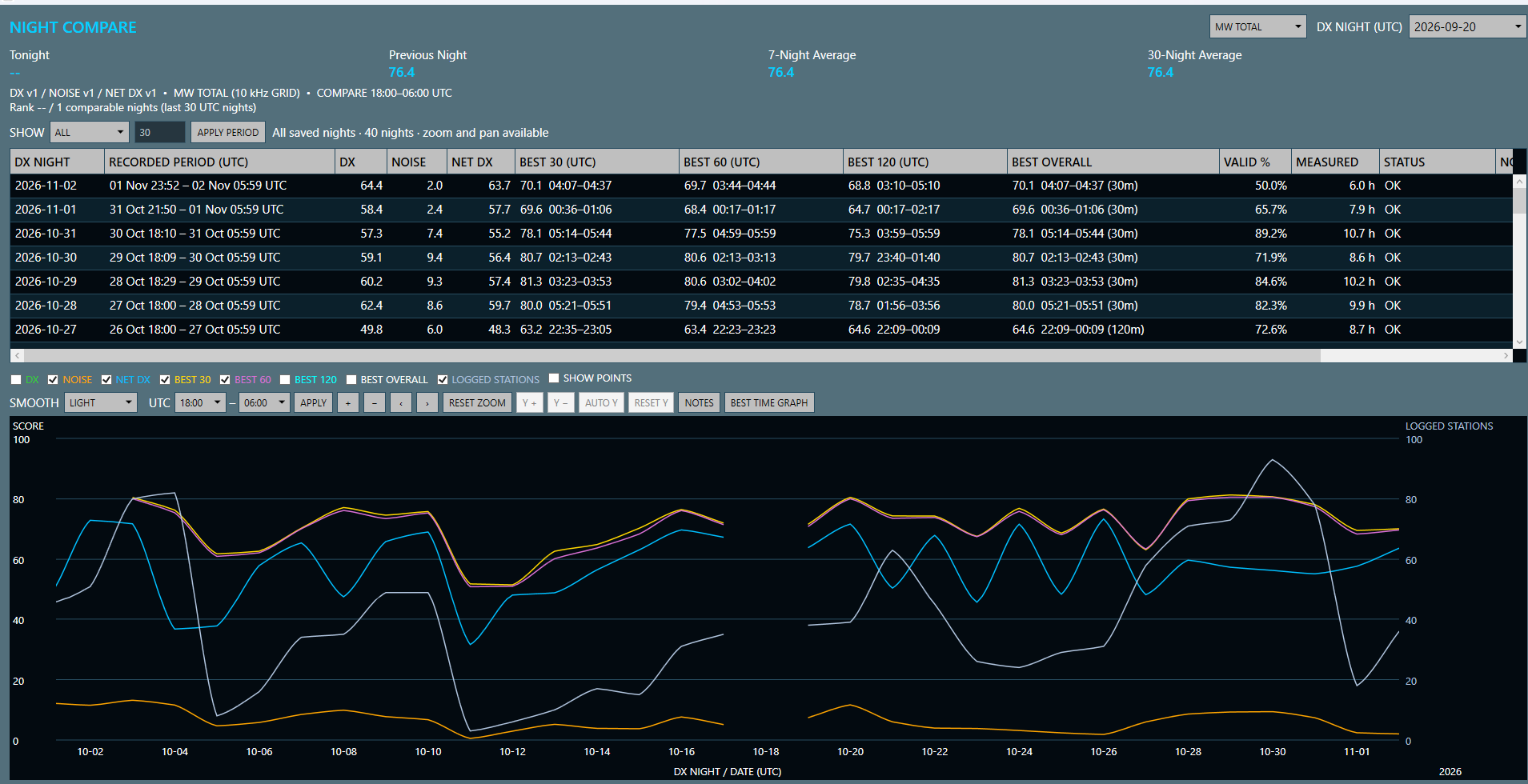
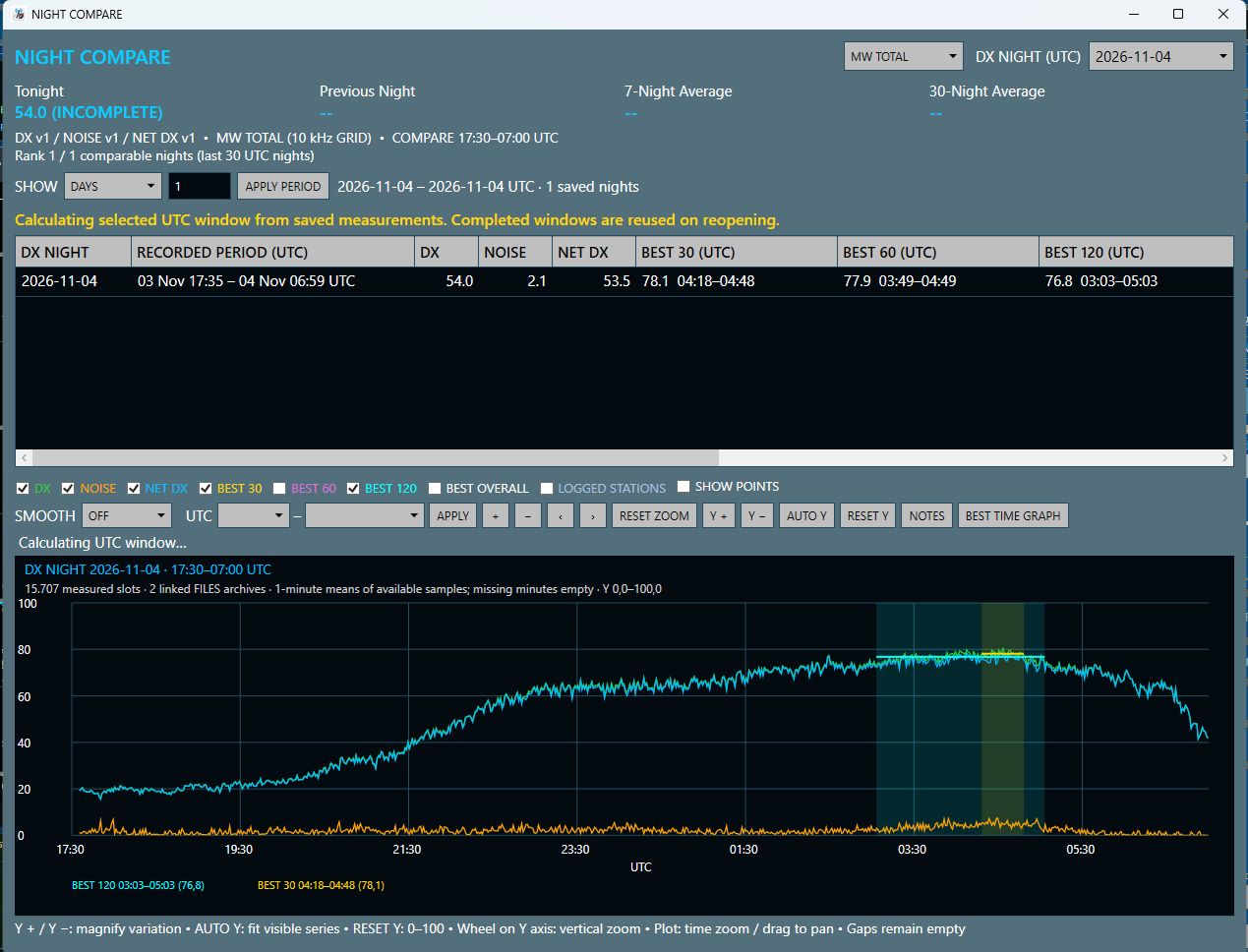
RSR-DF Analyzer is free Windows software for medium wave DX, combining SDR direction finding, carrier analysis and AM DX recording workflows. Developed around the Reuter RSR200B coherent dual-channel receiver, it also supports RSPduo workflows. Receiver integration and some direction-finding functions remain experimental; check the requirements and beta notes below for your setup.
Direction finding and carrier analysis
Use coherent two-channel measurements and reference-station calibration to explore signal direction. High-resolution carrier analysis, spectrum and waterfall displays help you examine signals, while the logbook and MWLIST matching support your DX investigations. See the RSR200B and KAZ antenna direction-finding setup for a practical example.
ARIS-C and AM interference cancellation
ARIS-C provides adaptive interference cancellation for AM listening, reconstructing the selected signal from received IQ samples. It needs a learning period, and its effectiveness depends on the received signal and interference. It is a listening-processing feature; recording and direction finding remain separate. Read how ARIS-C and REMOVE PRIMARY STATION differ.
IQ recording and playback
Record standalone RAW IQ and revisit recordings for carrier inspection and DX analysis. Spectrum, waterfall and playback tools support examination of the recorded signals. Follow the installation and recording guidance for the supported receiver and file workflow.
Software download · Software screenshots · Earlier release notes
Use and compatibility
RSR-DF Analyzer is free to download and use for personal, non-commercial and experimental purposes.
This independent hobby project is developed for fellow DXers. No subscription or purchase is required. Development is ongoing, and some functions are experimental. The software is provided as is, without warranty or commercial support. Please back up important recordings, profiles and settings before updating.
Free download does not imply that the source code is open source or that redistribution rights are granted.
Recommended Computer
- Windows 11 64-bit recommended (Windows 10/11 package).
- Modern quad-core processor or better.
- At least 8 GB RAM; 16 GB or more recommended.
- SSD storage; a fast NVMe drive is recommended for large IQ recordings.
- Full HD screen or higher.
- Compatible receiver and any required drivers.
Earlier Beta 5.2 changes
- Faster and more responsive controls and display updates.
- Improved carrier finding, tracking, lock handling and HR Carrier View.
- Improved MWLIST matching and logbook performance.
- Better recording coordination, RAW continuity and file analysis.
- Expanded phase graph, DX night comparison and logging features.
- More reliable configuration handling and in-place installation.
Earlier Development Highlights
Beta 5.0–5.2: interactive phase graph, night comparison, improved fine carrier analysis, live recording notes, additional logbook markers and digital DF refinements.
Beta 4.9: experimental FT8 full-transmission DF, carrier-processing optimizations, improvements to LIVE BARS, recording and UI responsiveness.
Development Status
RSR-DF Analyzer is beta software. Certain signal-processing, receiver integration and direction-finding functions are still experimental and under test. Confirm important direction measurements using known stations. This software is not intended for safety-critical use.
Acknowledgements
This project has been inspired by Linrad by Leif Åsbrink (SM5BSZ) and WavViewDX by Reinhard Weiss.
Special thanks to Günter Lorenz and the contributors to MWLIST for helping make our DX hobby easier, and to fellow radio enthusiasts who share test results, suggestions and feedback Rick Kunath thank you !
Feedback
Constructive feedback and bug reports are welcome. Please include the version number, receiver model and a brief description of the problem.
73 and good DX!